

Connecting Claude via MCP to Notion with Docker is a shortcut that can help us streamline workflows. Web research, meeting summaries, article writing, or anything else — one prompt, and Claude becomes your personal assistant, updating Notion on your behalf, across documents and databases.
Why Should You Connect AI to Your Work Tools?
Think about how many times this week you found yourself copying and pasting information from a GPT chat into an email, a document, and back again. That small action adds up to hours of lost time. This is exactly where AI agents come in — connecting Claude to Notion cuts out that waste entirely.
What Do You Get Out of It?
-
Real time savings — Claude handles the entire process: finding information, processing it, and delivering every response directly into the right database. No copy-paste, no manual searching.
-
An organized “external brain” — Instead of a scattered collection of notes, you build a digital Second Brain that organizes knowledge and tasks within a single prompt’s reach. (If that interests you, I wrote about it 👈 here)
-
Simple operation — Docker runs the MCP server that connects Claude to Notion inside a container, handles permissions, and gives you automation that works 24/7 without crashing.
In short, connecting AI to your work tools is not a gimmick — it’s a genuine leap in productivity.
What Is Notion?
In one sentence, Notion is your central hub for knowledge management and task tracking. It contains pages, tables, Kanban boards, documents, and links — all of which you can build using blocks.
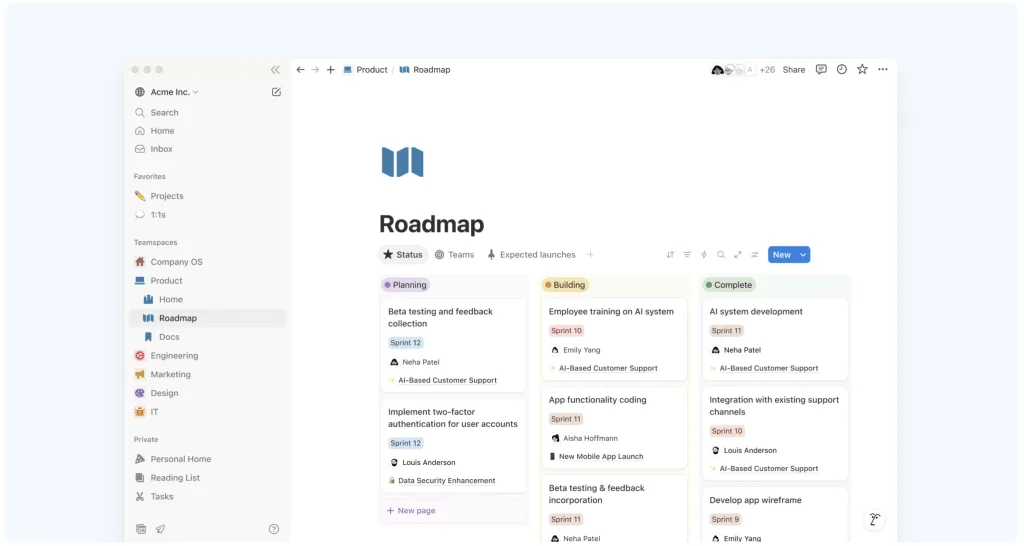
Why Is It So Popular?
- Workspace management — Manage tasks, documents, project boards, and build workspaces all in one place.
- Smart databases — Build data repositories, tables, and custom views like Kanban or Timeline at the click of a button.
- Templates for every scenario — Templates and formats for meetings, Gantt charts, timelines, publishing plans, and even a “customer CRM.”
- Fast search — Type a word and get results from every corner of your workspace.
- Sharing and permissions — Manage shared permissions and collaborative work, including access controls.
How Does This Relate to Connecting Claude to Notion?
When you connect Claude to Notion via MCP, you can simply tell Claude what you want done and it will carry out the actions for you.
For example, you can “tell” Claude to summarize a Kick-Off meeting for a new project you’re launching and prepare a To-Do list. Claude will then create a stakeholder table, key points, tasks, and even a Kanban view so you can start managing those tasks right away.
You save time on writing documents, and you manage knowledge and tasks in a single repository that supports search and collaboration.
🐳 What Is Docker?
Imagine you want to teach someone how to bake a carrot cake. You don’t know what oven they have, whether they have flour, eggs, or what conditions they’re working with. So instead of sending them the recipe, you prepare a box with the flour, eggs, and everything else needed inside it — the small oven, the electricity — everything included. They just open it and get the finished cake, without dealing with anything else.
That is exactly what Docker does. It lets you run applications inside a container that includes everything the application needs to work, regardless of the device or machine it runs on.
In our case, every time we write a prompt, the information passes to a server in Docker that translates what you wrote into actions and fires the appropriate API calls accordingly.
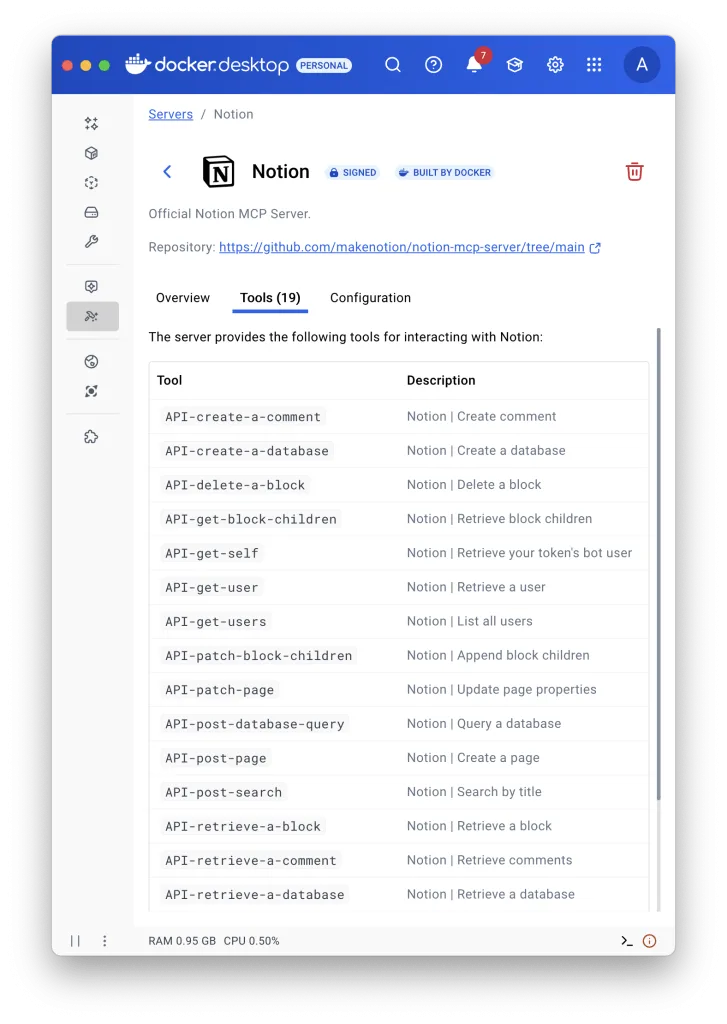
So What Can You Do With This? (Use Cases)
1. From research 👈 to a ready-to-publish post — Claude scans the web, summarizes sources, and generates a blog draft directly in your “Drafts” database. All that’s left for you is to edit, add images, and publish.
2. Meeting summaries at the click of a button ☑️ — After every Zoom or Teams call, Claude types up the meeting highlights, identifies decisions, tasks, and deadlines, and creates a project page with a structured table — including owners and target dates.
3. Automatic project roadmap 📋 — Type “create a Kanban board for the upcoming release.” The MCP translates that into actions and builds a task table in Notion with a view containing Backlog, Doing, and Done columns — plus ETA fields. Everything is ready for the next sprint before your coffee gets cold.
In Summary
Connecting language models to tools allows them to break out of the closed playground we’ve known until now. Connecting Claude to Notion enables a shift from prompt to action, eliminating the friction in between. If you want to turn repetitive, Sisyphean work into something efficient and intelligent, you need to start connecting your language model to tools like Notion and let MCP do its thing.