
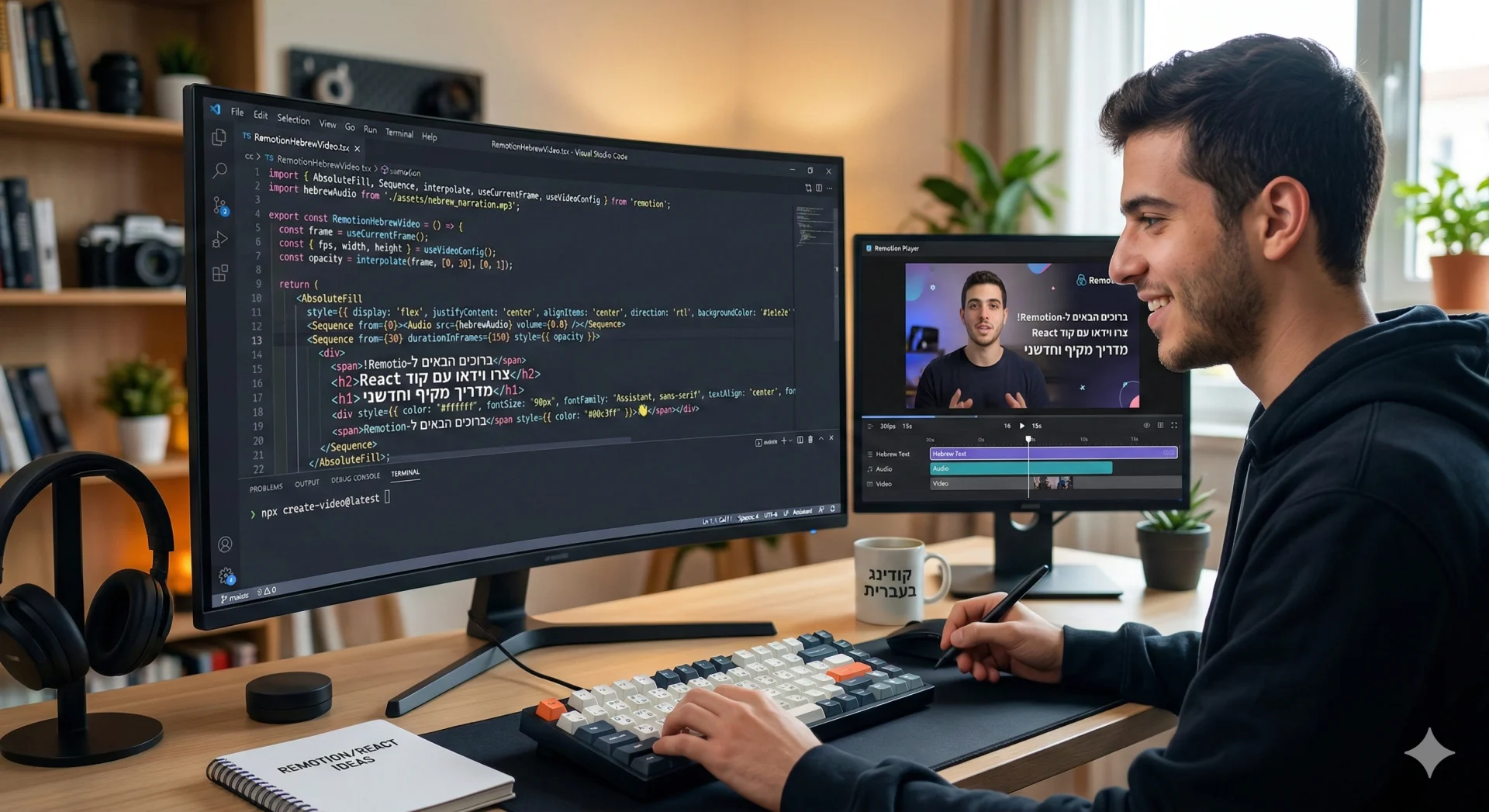
What Is Remotion
Let’s start from the end and keep it simple: Remotion is a tool that lets you create video through text or voice prompts. With Remotion you can produce promo videos, edit Reels, add subtitles, and even add sound effects and voiceover (by integrating with Eleven Labs, for example). Here’s an example 👇
Now let’s explain it in a bit more detail.
Remotion is a React-based video generator that turns code into video files. Don’t scroll past just because of the word “code”! Think about it for a second — if you can generate code from a prompt, and Remotion generates video from code, that means you can generate video from a prompt.
Imagine you’re working with Claude Code and building an app through vibe coding. You’ve finished building the app and you want to launch it — you want people to sign up and start using it, so you need a feature video to market the app and showcase its capabilities.
That’s exactly where Remotion comes in. You simply install the library inside your Claude Code project folder, write a prompt, and Remotion creates the video for you. Why is this so powerful? Because your app is also built on React, which means you can take the components you’ve already built and incorporate them directly into the video — complete with animations, transitions, subtitles, and sound.
But it gets even cooler, because you can also use Remotion to create micro-interactions for your app’s UI — a slick loader, or button animations in the interface.
A Moment for the Geeks: What Even Is React? 🤓
To understand why Remotion is such a powerful tool, you need to understand its foundation. React is a code library used to build user interfaces. But instead of thinking of it as “code,” think of it as LEGO.
Rather than writing one long, unwieldy page of code, with React we build Components — small, self-contained pieces, like a component for a header, a navigation menu, a product card, or any other element your app needs.
The thing about React is that you simply describe how you want a component to look and behave in different states (for example: “if the user clicks the button, turn it blue”), and React takes care of updating the screen on its own.
How does this connect to video? In Remotion, we take those same components and place them on a timeline. Instead of the button changing color because someone clicked it, it changes color because two seconds have elapsed since the video started. This turns video into a living, dynamic entity that can be programmed, modified, and generated at scale with the click of a button.
How Do You Install Remotion?
Before you get started, make sure you have the latest version of Node.js installed. You can download it from the official site, but if you’re working with Claude Code you’ve probably already installed it.
To install the libraries that power Remotion, simply paste this command into the terminal inside your project folder:
$ npx create-video@latestOr you can just ask Claude Code to read the documentation on the site and install the library to create video. You can even find skills that Remotion has built specifically for Claude Code:
npx skills add remotion-dev/skillsBy the way, skills are the mechanism for teaching Claude Code how to do things. Think of it like that scene in The Matrix where Neo simply downloads kung-fu or karate. A skill is a file that tells Claude (the code agent) how to use Remotion effectively. (Skills are actually a global standard for working with agents, but that’s a topic for another post.) Here’s the link to the skill in question — and with that, we’re done with the “technical” part.
So How Do You Start Creating a Video with Remotion?
Once you’ve installed the relevant libraries and the skill, you can simply “tell” Claude what you want to create. The quality of the result will match the quality of your prompt.
On the Remotion website you can find examples of animations along with the prompts used to create them, and there’s even a template library you can browse.
Once you’ve written out what kind of video you want to create, for example:
I want to create a short video in vertical format (9:16, 1080×1920, 30fps) using Remotion.
The goal is to produce a sharp, professional, and precise video that feels modern and well-designed. It should be clean, visually balanced, and paced for short-form content platforms. Not cluttered, not over-designed, and not amateurish. Subtle, confident animations with precise motion.
The video will incorporate talking-head footage, background music, subtitles (RTL), and occasionally graphic overlays or popups that appear at specific moments. The subtitles need to be highly readable, properly positioned, and feel like an integral part of the overall design rather than an afterthought.
Audio transitions should be smooth, with controlled fade-ins and fade-outs. Sound effects, if any, should be minimal and precise. Background music should support the message without competing with the speaker’s voice.
Key requirements:
- Follow Remotion best practices
- Clean timing across the timeline
- Transitions and effects between scenes
- Full RTL support for text
Overall, I want the result to feel like a polished, well-crafted digital product — not a video thrown together quickly.
Remotion then uses its skills to act as the best video editor you’ve ever hired. Once it finishes generating the video according to your instructions, it spins up an editor at localhost that lets you preview the result inside a video editor with all objects timed on the timeline, just like you can see here 👇
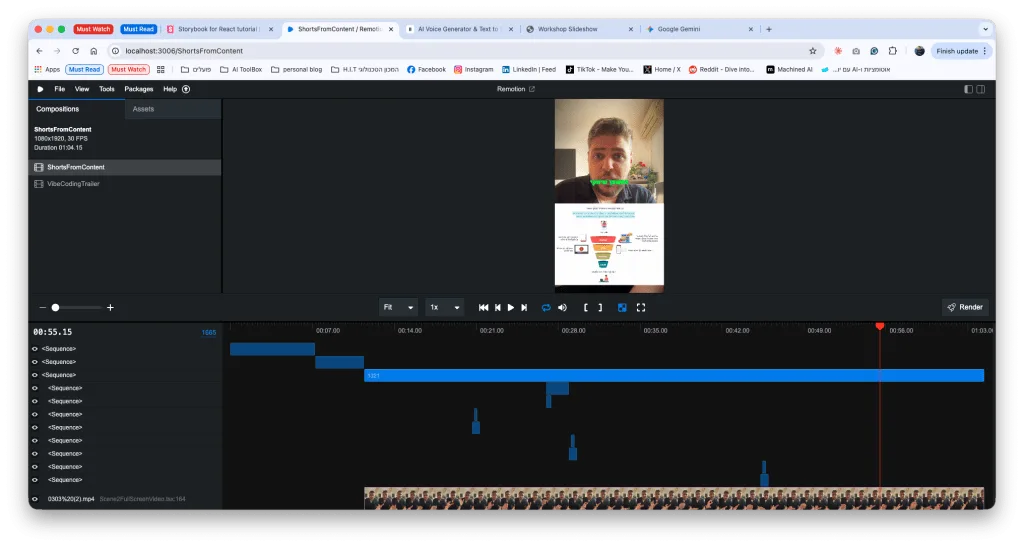
If you’re happy with the result, you’re done! If not, simply give it instructions — in text or by voice — with the changes you want, and your video editor will apply them.
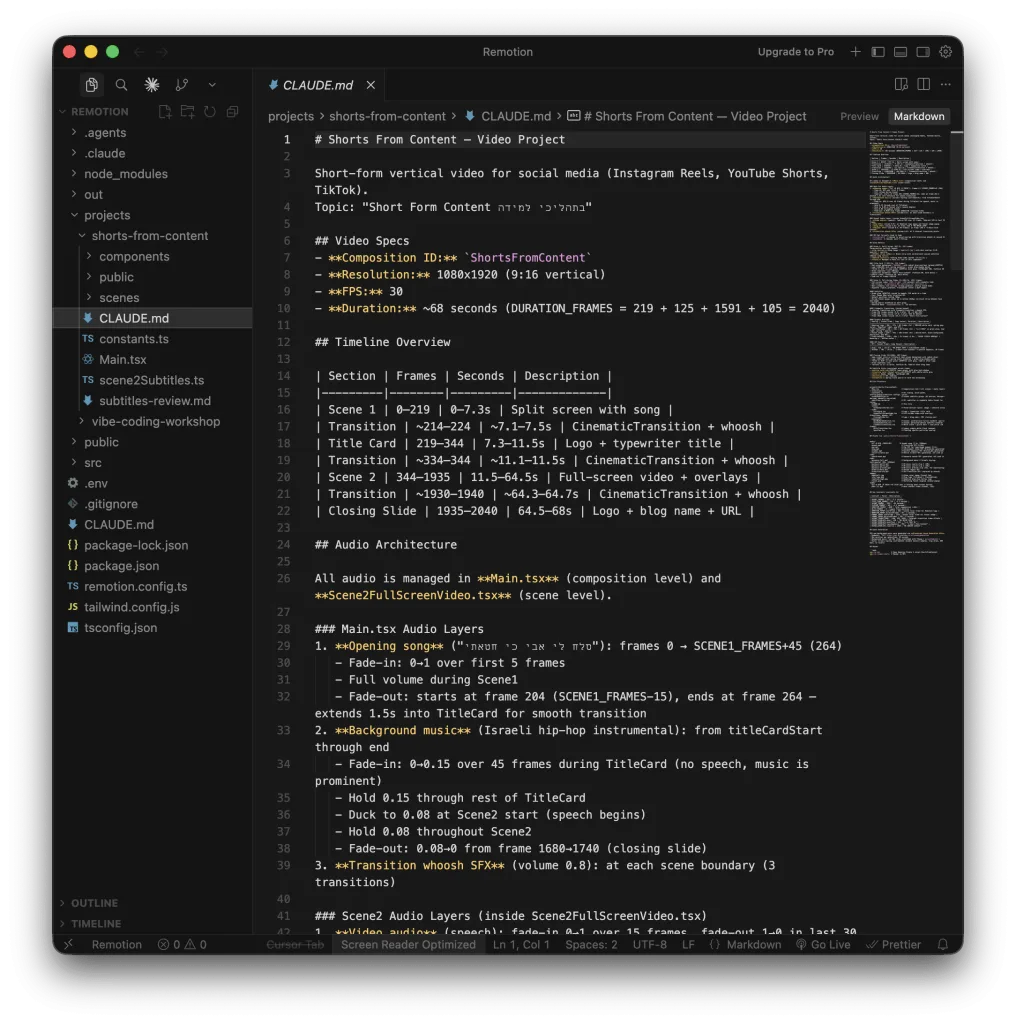
Pro tip 🏅 Ask it to create a CLAUDE.md file with the technical details: aspect ratio, a breakdown of the video into scenes with timings, text, colors, style, and connections to external services like ElevenLabs for voiceover. This file is the project’s “context” and allows Claude Code to know everything it needs about the video whenever you come back to edit it. It looks something like this 👇
Once you’ve finished editing the video, you can render it. Remotion exports the video as an MP4 file to a folder called out inside your project. You can take that file and publish it on social media or anywhere else.
The Bottom Line
What makes Remotion unique isn’t just that it creates video — it’s that it makes video a natural part of your workflow as a developer. Instead of switching between clunky editing applications, you stay inside your IDE, use the same React components you wrote for your site (or more accurately, that Claude Code wrote), and let the AI handle the heavy lifting of timing and rendering.
This is exactly the mindset I keep talking about: you don’t need a production team to put out a quality promo video or a slick micro-interaction for your app. All you need is a precise prompt.
What’s next?
- Try Remotion in your next project and see how quickly you move from idea to video
- Use AI — don’t try to write everything from scratch
- And of course, share with me — if you’ve built something cool, send a link or tag me
See for yourself how content and code merge with Remotion. Go build something interesting!