

Why Build a Voice Summary App?
If you also feel like you’re in a constant state of FOMO and can never quite keep up with everything happening in the AI space — you’re not alone.
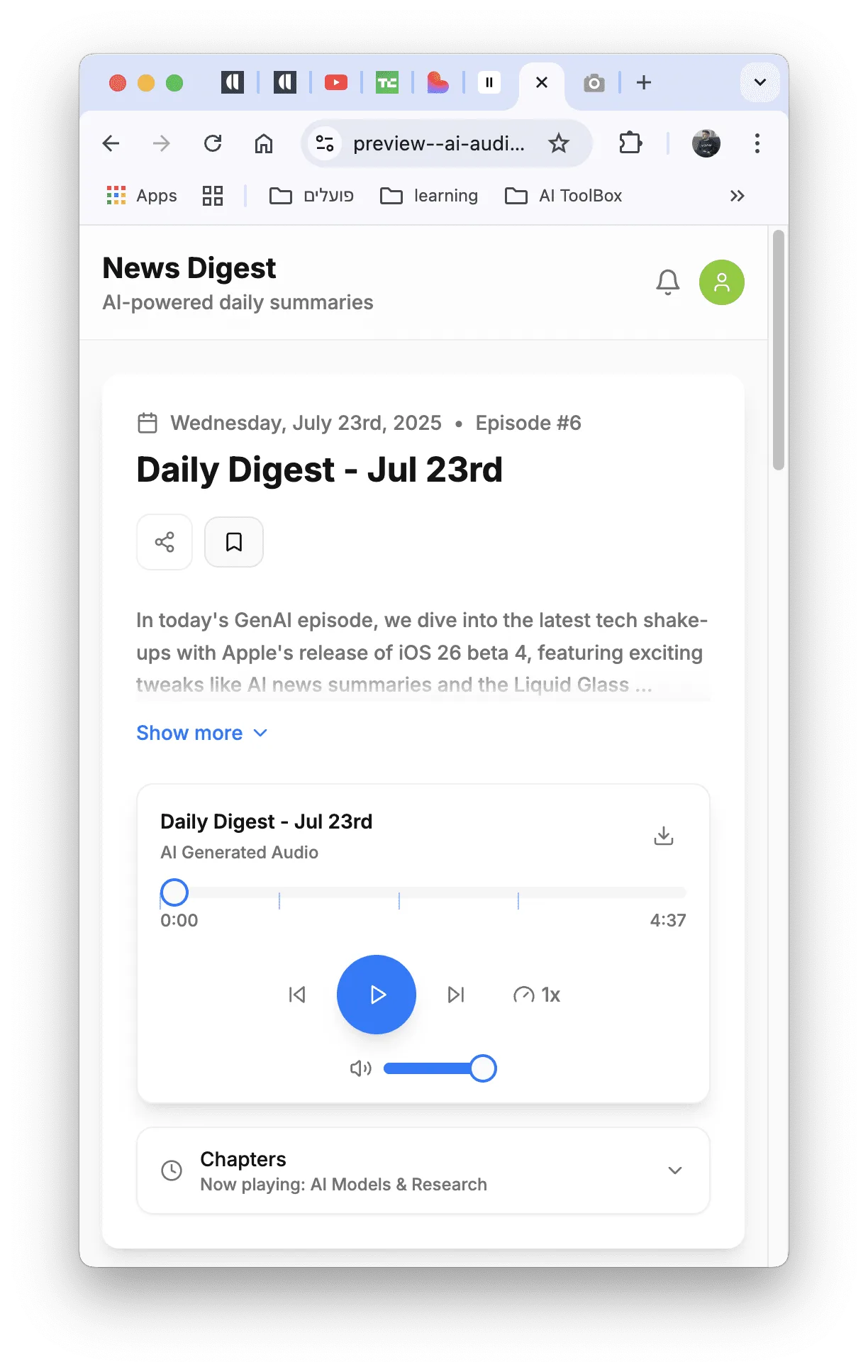
So I decided to build myself a small tool to help. An app that collects AI news, summarizes it, and converts that summary into an audio file that I listen to every morning over coffee or on my way to work 🚙☕️.
What’s great about this project is that it doesn’t have to be about AI at all. You can apply the same approach to any topic that interests you — UX, marketing trends, financial content, or even music and art.
All you need to do is swap out the data sources and adjust the settings.
How Does It Work?
-
The app scrapes websites with relevant content (like TechCrunch) using a service called Firecrawl
-
Summarizes the content using GPT
-
Converts the summary to audio using ElevenLabs
-
Displays everything in a web app I built with Lovable
-
And delivers a daily 5-minute audio digest — straight to your ears
What Tools Did I Use?
| Technology | Purpose |
|---|---|
| Firecrawl | Web scraping of articles |
| OpenAI API | Generating summaries from scraped content |
| ElevenLabs | Text-to-speech (TTS) conversion |
| Supabase | Data storage and backend |
| Lovable | Building the UI without code |
What Did the Workflow Look Like?
- I started by writing a Product Requirements Document (PRD) with ChatGPT — to avoid jumping into development without a clear direction
- I gathered design inspiration from Dribbble — to find UI ideas
- I set up Supabase as the backend
- I connected Firecrawl → GPT → ElevenLabs — for scraping websites and collecting content, generating summaries, and converting them to audio
- I built the interface in Lovable
- I handled errors, tested, and published — then continued developing the app and adding features
What Features Does the App Have?
One of the things I enjoyed most about building this app — beyond the fact that it solves a real problem for me — was adding components and enhancements designed to keep users engaged, bring them back, and encourage sharing.
Here are a few standout features worth paying attention to when building a digital content product:
Written Summary Alongside the Audio 📝
Even though the app is voice first, not everyone is always in a position to listen. So I added a text summary and a live transcript that lets users scan the content before hitting play — or simply read instead of listen.
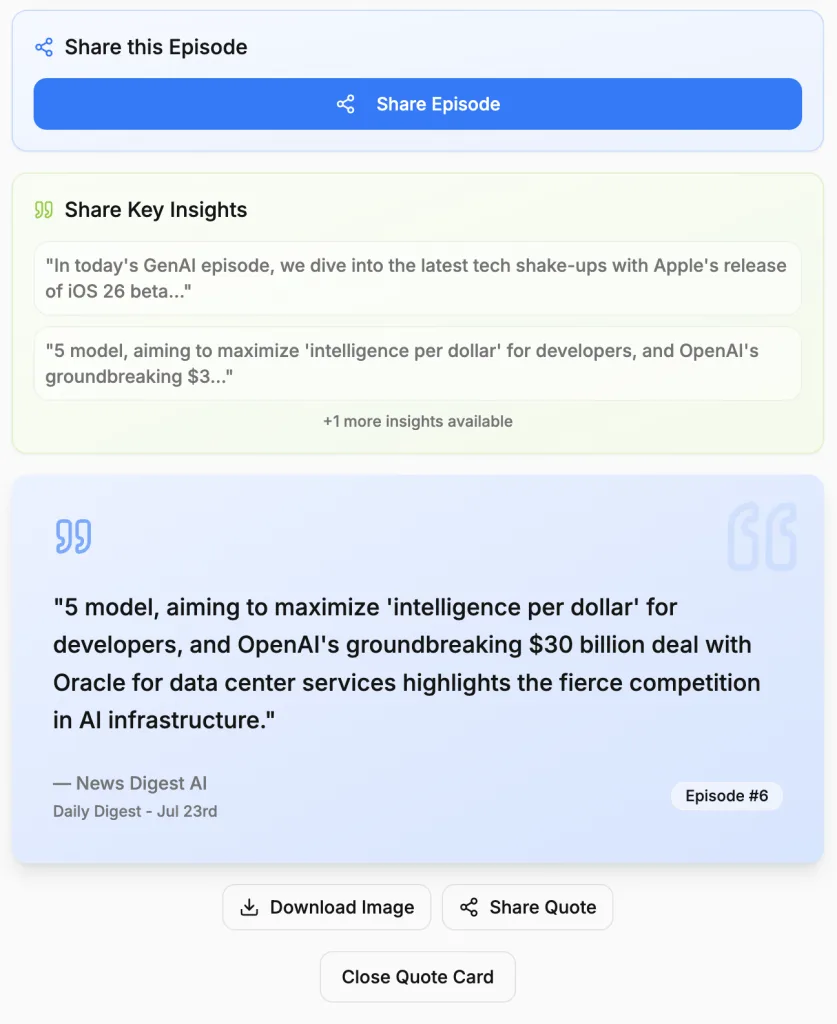
“Share Key Insights” 🧐
Rather than asking listeners to share the episode itself, the app generates key takeaways from the voice summary so users can share a ready-to-copy highlight on social media. This significantly increases the likelihood that the episode gets shared — and shared smartly.
Share Buttons for Every Platform 📤
Twitter, LinkedIn, WhatsApp, Facebook — all in one place. This isn’t just about convenience; it’s part of a “share in the moment” strategy. When something interests me and I think it might interest someone else, sharing needs to be just one click away.
Generate a “New Episode” with One Click 🆕
This feature invites users to play with the tool and shift from passive listeners to active creators. When usage becomes a daily habit, that’s how we build a routine.
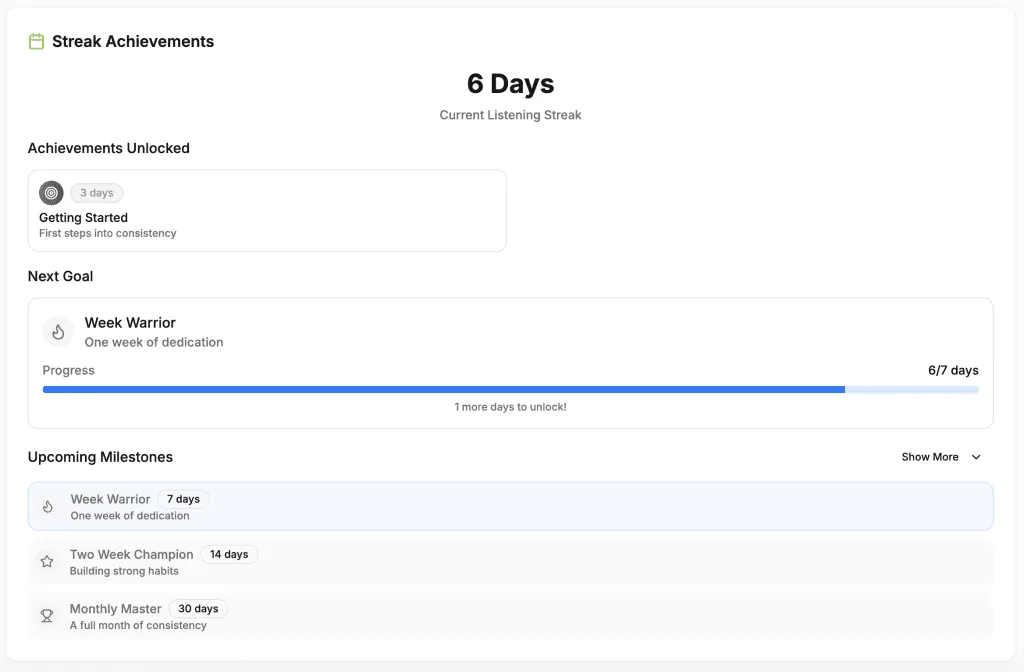
Rewards and Usage Statistics 🏆
The app tracks how many consecutive days users have listened to the voice summary and rewards them with small achievements: Getting Started, Week Warrior, Two Week Champion, Monthly Master.
This isn’t just a gimmick — it’s subtle gamification that encourages consistency.
Users can see how many episodes they’ve listened to, how much time they’ve invested in learning, and what their next milestone is. In other words, it’s not just content — it’s also a sense of progress.
Why Does This Matter?
Because genuine engagement is created when users feel like part of the process — they receive insights, see their own progress, can share what they find valuable, and have a reason to come back tomorrow for a fresh digest. If the goal is to build a product that people return to, these are exactly the kinds of things worth investing in.
Turning Ideas Into an App
The bottom line: you don’t need to invent the next app that makes you millions. Instead of chasing the idea that will make you rich, try solving real problems you actually face. Who knows — it might end up making you a few bucks along the way 😉.