
In brief
We’ve always adapted to software as it comes. On October 1st, Anthropic released Mods, and suddenly you can ask the tool to change itself. I asked, and got a single line showing everything that matters to me, without writing a single line of code.
Every piece of software we work with has that one small thing that bothers us. A missing button, information buried three clicks deep inside some settings screen. Something we’d move a centimeter to the right if anyone had bothered to ask us.
And what do we do about it? We adapt. Someone else decided how the interface would be built, and we learn to live with it.
It’s a bit like renting an apartment. Everything works (hopefully), but we can’t replace the dated flooring with hardwood.
Quite recently, Anthropic released a new capability for Claude Code called Mods.
What is a Mod, exactly?
Let’s start at the end. A Mod is a small extension that modifies Claude Code itself, how it looks and how it behaves.
For those unfamiliar, Claude Code is Anthropic’s tool where Claude doesn’t just respond in a chat window but actually works on the files on your computer. I use it for writing, research, and building small tools, not just for code.
And when it comes to Mods, they can do three things.
An information bar above the input area, a side panel, a small notification that pops up in the corner.
Notice the moment Claude is about to perform an action, or the moment it finishes responding, and do something at that exact moment.
Buttons and commands that weren't there before.
In their announcement, Anthropic said they want Claude Code to feel like yours, so you can shape it around the way you work.
Where does it work, and where doesn’t it?
Mods belong to Claude Code exclusively. According to Anthropic’s documentation, here’s how it breaks down.
In plain terms: if you want to see something on screen, you need the terminal or the desktop app’s Code tab.
How it works, without a single word of code
Every time Claude Code does something, it announces it. I’m about to perform an action. I just received a message. I’m now rendering the screen.
A Mod is what listens to those announcements.
Think of a security guard at a building entrance. Everyone who enters passes through them. They can wave people through, stop someone at the door, or simply log who came in and when.
| What happens in Claude Code | What the Mod can do at that moment |
|---|---|
| Claude is about to perform an action | Approve it, stop it, or modify it |
| You sent a message | Rewrite it before it reaches Claude |
| Claude finished responding | Measure how long it took |
| The screen is rendering | Add a row, a button, or a panel |
And behind the scenes? A Mod is a small folder containing code written in a language called TypeScript. I don’t know how to write it, and I didn’t need to.
How to create a Mod, step by step
There are two ways. You can write the code yourself, Anthropic has a proper guide in their documentation for that. Or you can simply ask Claude to write it. I went with the second approach, and here’s what it looked like.
0. Check that you have a compatible version
Mods work from Claude Code version 2.1.287 in the terminal, and from version 2.1.286 in the desktop app. In the terminal, type claude --version. In the app, type /status inside a conversation in the Code tab and look at the Claude Code line. If your version is older, update and you’re done.
1. Describe in your own words what’s bothering you
I opened a new conversation in the Code tab and told Claude what I wanted. In rough English, no capital letters, the way I write when I’m in a hurry.
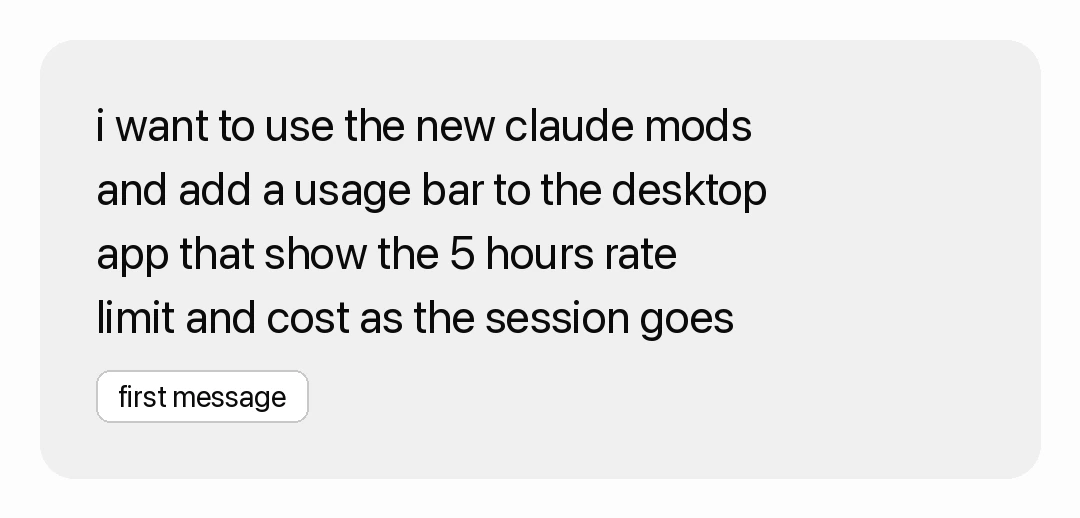
I also asked it to do one more thing: explore how Mods work first, and ask me questions before it started building. It came back with four questions. Where should the bar appear, what else to display, whether to alert me when the limit is filling up, and how to make it show up in every conversation.
Behind the scenes, Claude drew on an internal guide that ships with Claude Code, a Skill called plugin-authoring. It tells Claude where to save the Mod, which events are available in your version, and how to load it. You don’t need to do anything for this; it loads automatically when you ask for a Mod.
2. Approve
Claude saves the Mod to a protected folder on your computer, so Claude Code asks you before creating each file. Approve them.
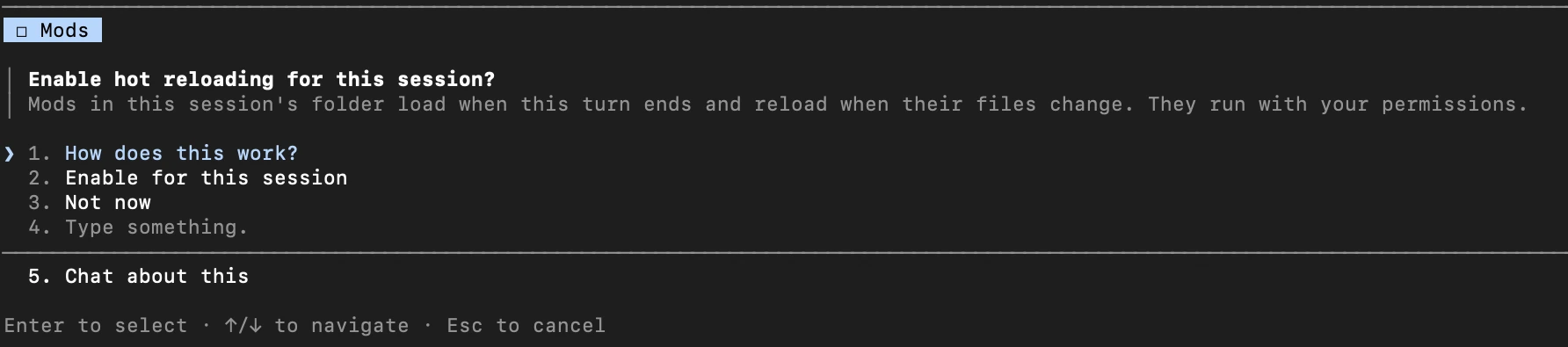
When the first file is saved, a more important question arrives: whether to enable live reloading for this session. Choose Enable for this session. From that point on, the Mod is loaded at the end of each of Claude’s responses, and any change it makes to it appears immediately.
3. Verify it actually loaded
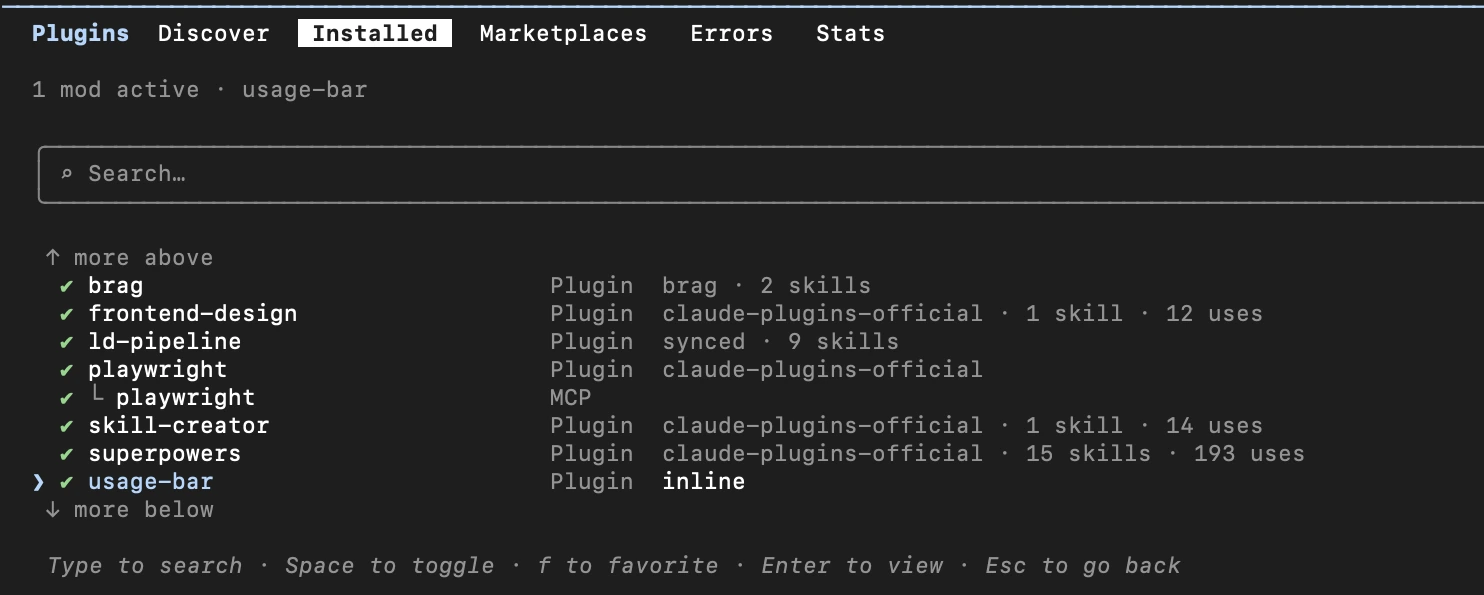
Type /plugin and press Tab until you reach the Installed tab. Your Mod appears there in the list, and from there you can also disable it if something isn’t working.
4. Ping-pong
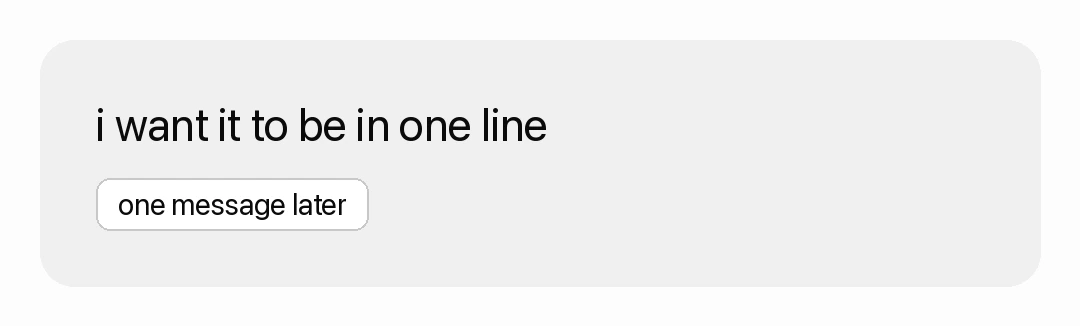
From here it’s simply a conversation. I request a change, it builds it, and the bar updates before my eyes at the end of its response. No installing anything, no closing and reopening. Most of my requests were as short as this one.
5. Save it for all conversations
Here’s a pitfall worth knowing about. A Mod that Claude wrote inside a conversation only loads in that conversation. It sits in a temporary folder, and Claude Code clears it out after a while.
For the bar to appear in every new conversation, I asked Claude to move the Mod to a permanent folder on my computer and to add a line to Claude Code’s settings that loads it every time I open a conversation. That was exactly the fourth question it asked me at the start. Here’s what a brand-new conversation looks like for me today, with the bar already in place.

What I added to my Mod
Here’s what it looks like for me today. One line, above where I type.

Before going through the parts, one thing I want to say honestly: most of this information always existed. You can see the usage limit in Settings, under Usage. But who opens Settings in the middle of working? I didn’t add new information. I moved it to where my eyes already are.
Until now, the only way I knew I was approaching the limit was this message, by which point it was already too late to plan.

- Conversation memory
The first and largest bar. Every conversation with Claude has a limited working memory. When it fills up, Claude summarizes what came before and details get lost. The bar tells me when it's time to open a new conversation.
- Five-hour limit
A smaller bar, with the time remaining until it resets.
- Weekly limit
Just a percentage. I added it the day I discovered I was already at 75% for the week.
- How much the conversation cost
On a subscription like mine this isn't a real charge, it's the price according to the rate card. But it teaches me which requests are expensive.
- The improve button
This is the part I love most. I write a quick, messy request, press the button, and it gets rewritten according to Anthropic's recommendations for writing good prompts: what the goal is, what the context is, and what a good result looks like. The new version doesn't send itself, I read it first. There's also a cancel button that restores what I originally wrote.
- End-of-day cleanup
When Claude builds something, it runs background helper processes and sometimes forgets to close them. Once I had 16 left open and my computer was choking. Now I see a small checkmark when everything is closed, and a close button when something is still running.
- setup
A small button on the right that opens a project snapshot: which model I'm working with, what standing instructions Claude received, and which Skills were activated in the conversation. Inside there's a button that runs a quick health check, a bit like an annual inspection for the project.
What I removed
Not every idea survived. I asked for a row of recommended commands based on the current project. Claude built it, I looked at it, and I wrote it two words.
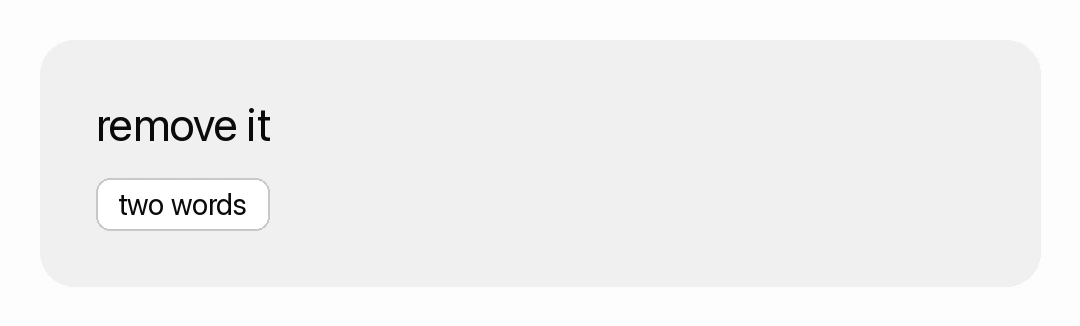
That’s part of the beauty. Trying an idea takes a minute, and changing your mind takes a minute.
Where I tripped up
After everything was working, I opened a new conversation to verify, and the bar wasn’t there. I was sure something had broken.
It hadn’t. I’d opened the conversation in Cowork, not in Code. And Mods, as I noted above, don’t live there. I switched to the Code tab, and the bar was waiting for me.
Anthropic’s library, and ready-made Mods
You don’t have to start from scratch. There are three places worth knowing about.
Anthropic’s sample library. On GitHub, Anthropic published a folder with three example Mods. Each one is ready to use, and each includes an explanation of how it was built.
| Mod | What it does, in plain terms |
|---|---|
token-weather |
A weather forecast for conversation memory. Shows above the input box how much space is left, close in spirit to my first bar |
blast-radius |
Stops a dangerous command, like deleting an entire folder, shows what it’s about to change, and presents two buttons: proceed or cancel |
replay-theater |
Adds a /replay command that plays back all the file changes Claude made in the last response, one by one |
Anthropic note that these examples are shared as-is, without support. They’re meant for learning and experimentation.
The Claude directory. This is the official store for Claude extensions. You can reach it from the website, or by typing /plugin inside Claude Code. Anyone who builds a good Mod can also submit it there.
Mods already installed on your system. Some of Claude Code’s own capabilities are built as Mods today, for example /diff, which shows what changed in your files. You can see them in /plugin under Built-in, and Anthropic has published the code for some of them openly. That’s the best place to peek at how an “official” Mod is built.
A moment before getting too excited
A Mod is not decoration. It’s code that runs on your computer.
Anthropic state this explicitly. A Mod runs with the same access to your computer that Claude Code itself has, and it does not run in an isolated environment. Their recommendation is to install only from a source you trust, exactly like any other piece of software.
For me it’s simpler, because my Mod was written by Claude in front of me, change by change. But if someone sends you a ready-made Mod, treat it like an installer that arrived in an email.
What else can you do with Mods?
My bar is one example. Here are more directions, some from Anthropic’s announcement, some my own ideas.
What's the status of the task, what's already been checked, what's still open.
Require approval before a sensitive action. Strip passwords and confidential details from what Claude reads. Require a checklist before publishing anything externally.
A small notification when a long response finishes, so you can switch to another window in the meantime. Or a counter of small consecutive fixes. One day I counted more than 43 tiny correction requests in a row. A Mod could stop me after the third and suggest bundling them into one message.
This is what interests me most, coming from a learning background. Instead of a policy document nobody reads, the rules live inside the tool. Someone who tries to do something the team agreed not to do gets an explanation at that exact moment. That's learning at the point of need, without a presentation. In organizations, whoever manages the tool can also decide which Mods are permitted to install.
Now it’s your turn
So. If you could change one thing about the tool you work with every day, what would it be?
If you work in Claude Code, you can try this today. Open a new conversation and write it this.
I want to build a mod for Claude Code.
What bothers me in my day-to-day work is [write it here in your own words].
Please explore how mods work first, and ask me clarifying questions before you start building.
Start with one small thing. For me it was seeing the usage limit without leaving the conversation. And from there it just kept growing.
Sources
- Anthropic’s official announcement of Mods, 1.10.2026
- Official Mods documentation, including a table of where they run
- Official guide to creating a Mod, including asking Claude and writing one yourself
- Anthropic’s example Mods library on GitHub
- The code for Mods built into Claude Code
- The GitHub discussion where Anthropic shared the design upfront
- Claude Help Center: where to see your usage limit